


Every campaign step has the same shape: a minimum cart total, a reward, and an optional message. Understanding how steps are evaluated and how each reward type actually behaves on the cart is the key to building a ladder that does what you expect.
Steps are cart-value thresholds, evaluated in order
Steps are based purely on the cart’s total value — there is no quantity-based tier and no targeting by product category, tag, customer role or date window. As the cart total changes, Progressive Discount walks the steps from lowest to highest and applies whichever is the highest threshold the current total has reached.
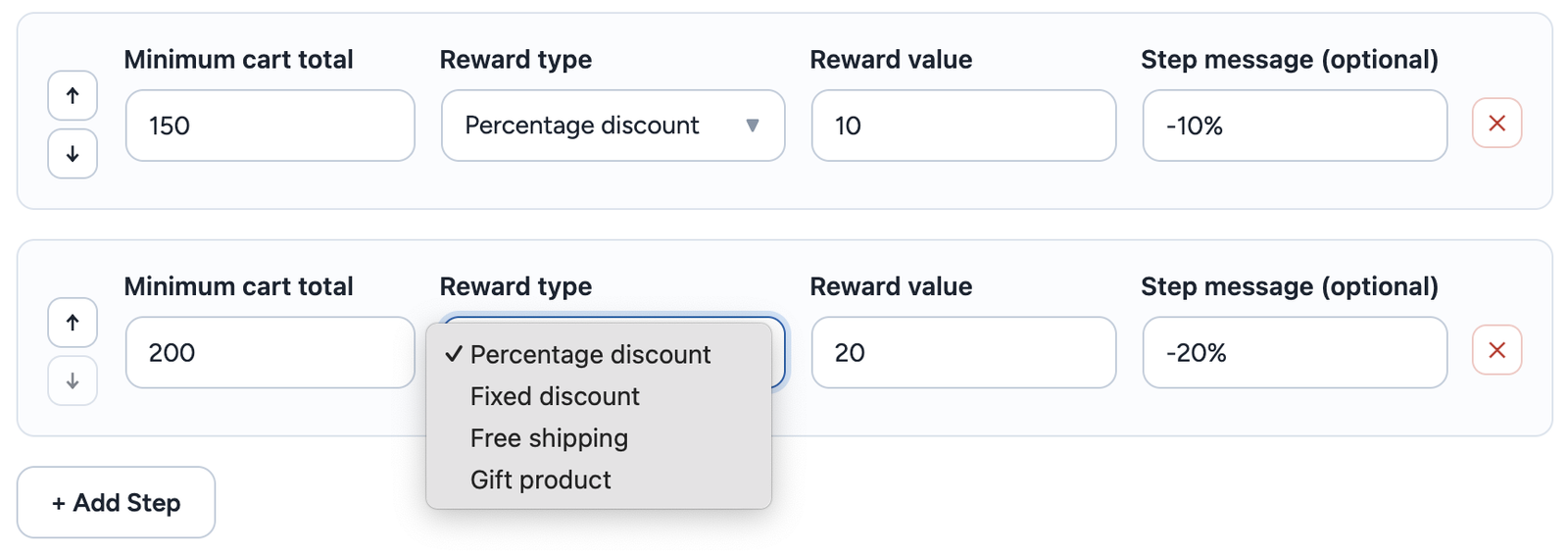
Reward types
Percentage discount
Takes a percentage off the cart. Only the highest step the cart has reached applies — percentage and fixed rewards do not stack across steps, so reaching a higher tier replaces the previous discount rather than adding to it.
Fixed discount
Takes a flat amount off the cart, evaluated the same way as percentage — highest reached step wins, no stacking with lower steps.
Free shipping
Zeroes out the shipping cost once the threshold is reached. Unlike percentage and fixed discounts, free shipping is cumulative with whatever discount step is also active — a shopper can be on a “10% off” step and a “free shipping” step at the same time if both thresholds are crossed.
Gift product
Adds a specific product to the cart, free of charge, once the threshold is reached. Like free shipping, a gift stacks alongside whichever discount step is also active. The gift line item is added and removed automatically as the cart total crosses the threshold in either direction — you never need to ask a shopper to add it themselves.
How the discount actually gets applied
Percentage and fixed rewards are applied as a WooCommerce coupon that Progressive Discount adds and removes on its own as the cart changes. It appears in the cart and checkout totals under your Discount label, without a “Remove” link, and on orders, invoices and refunds just like any other discount.
The discount is shared across the products it applies to in proportion to their price: with 10% off a 20 € and a 1 200 € product, the first gets 2 € off and the second 120 €. A fixed reward is shared the same way, so every order line, its tax and any partial refund stay correct. Gift lines and, when Sale Products is set to “Don’t count”, sale-priced products never receive a share.
Free shipping is applied by zeroing the cost of the shipping rates themselves, and gifts are real cart line items priced at zero — all three update live as the cart changes, with no page reload required.