


Sell the product. And everything that goes with it.
Adds a “buy it together” block to your product pages: the product plus up to 4 items that go with it, added to the cart in one click. Give shoppers a discount, free shipping or a free gift for taking the set.
- No code
- One click, no page reload
- Cart & Checkout blocks
- 14-day money-back
 Built for WooCommerce
HPOS compatible
Cart & Checkout blocks
No coding needed
Translation-ready
You choose what belongs together. Shoppers take it all in one click.
- Choose what goes together Pick up to 4 items for a product — or set one rule for a whole category.
- Add a reason to take them all A discount, free shipping or a free gift — or nothing at all.
- Shoppers add the set in one click Everything goes to the cart together, and the benefit applies on its own while the set is complete.
Every pair of running shoes needs socks and insoles.
A running shop adds socks and insoles to every shoe, with 10% off when the three are bought together. One rule covers the whole category, so new models get the bundle on their own.
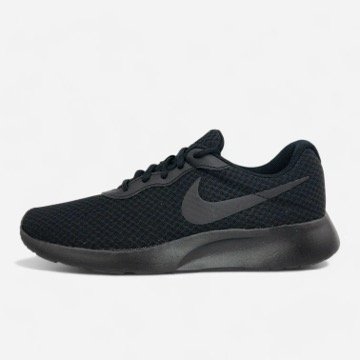 Trail Running Shoe
Size 42
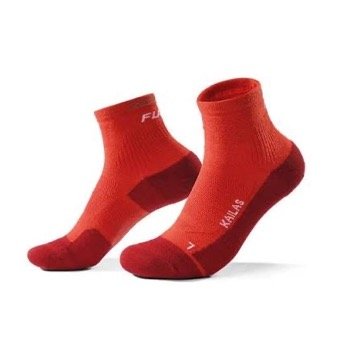 Merino Running Socks
2-pack
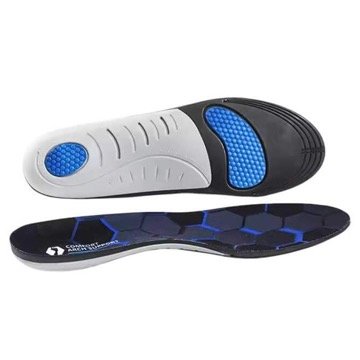 Memory Foam Insoles
Cut to size
- One rule, every model. Set for the Running shoes category — new models get the bundle on their own.
- The discount is on every line. 10% off the whole set, the shoe included — split by price.
Illustrative maths: an €89 pair alone, or the €109.80 bundle — €20.80 more per order that takes it. Your numbers depend on your prices and traffic.
What would your bundle be?
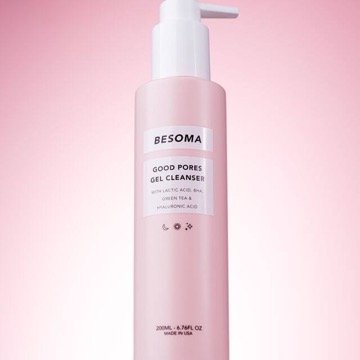 Cleanser
 Serum
 Cream
 Coffee beans
 Filter papers
 Phone
 Case
 Charger
 Dog bed
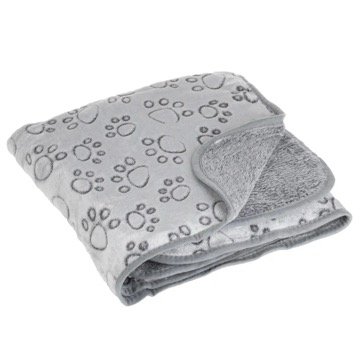 Blanket
A reason to take the whole set.
One benefit per bundle — or none: sometimes products simply belong together, and showing them side by side is enough.
Taken off every product of the bundle, split by its price.
A flat amount, easy to say on the product page — split the same way.
Every shipping method, while the whole bundle is in the cart.
Added automatically — one unit, marked “🎁 Bundle Gift”. You can also show it in the bundle.
“These products simply belong together.”
Complete bundle, benefit on. One missing, benefit off.
- Only for the bundle's own items. It applies when every product is in the cart, and only to the ones added with the bundle button.
- On the lines themselves. Each discounted line shows its original price struck through — no coupon or fee line.
- Remove a product and the benefit is removed too — automatically.
- Added twice? You choose: the benefit applies once per bundle, or every time.
See it on a product page.
This is the plugin's own block, as shoppers see it. Switch the benefit and the layout, pick a size or a pack — the prices follow.
Sizes and colours show as chips: only options that can be ordered, the first one picked. By default the block sits before the product tabs.
Fits your store, not the other way round.
Set the corners, the buttons and the colours from the admin — no code. Every text is yours to change too: title, intro, buttons and labels.
Any colour you like — the admin has a colour picker for each one.
The Checkout button adds the bundle and goes straight to checkout, like “Buy now” — on by default, and you can switch it off.
One product, or a whole category at once?
Every product page takes the first match from the top of this list. Not sure which bundle a product gets? The “Test a product” tool in the admin tells you.
- Only products that can be ordered — published, priced and in stock
- One out of stock? You choose: hide the bundle, or show the rest without its benefit
- Never a discount on an incomplete bundle
- A bundle on the product itselfSet in the product's Smart Cross Sell tab. It always wins for that product.
- A rule for many productsAll products, chosen categories, tags or products. When several rules match, the higher priority wins — on a tie, the more specific one.
- Automatic suggestionsOff by default. Products from the same category, the same tag, or random ones — without a benefit.
- NothingNo block. The product page stays exactly as your theme built it.
Simple to run. Every order accounted for.
Plain-words editor
The editor sums up each bundle in a sentence — “Add all 3 products to the cart together to save 10%.”
Right in the product editor
A Smart Cross Sell tab inside the WooCommerce product screen, plus “Preview in store” from the bundle list.
Placement
Before the product tabs, after them or after related products — or anywhere with the [smart_cross_sell_bundle] shortcode or block.
Self-checks
Warns you if your theme never shows the bundle, or if another plugin changes the bundle prices in the cart.
Orders remember the bundle
Each line keeps its bundle discount, gifts are marked, and an order note is added. Ready for EcomDrama Analytics.
Master switch
Turn every bundle off on the storefront without losing the setup.
Works on its own. Better with the family.


One licence. One simple price.
A 1-year licence with updates and email support. No auto-renewal.
 Smart Cross Sell
 in short
Smart Cross Sell is a WooCommerce plugin that adds a “buy it together” bundle to product pages: the product plus up to 4 companion products, added to the cart in one click. A bundle can give a discount, free shipping or a free gift when the whole set is bought.
- Current version
- 0.24.1
- Last updated
- November 22, 2026
- Price
- 21,99 €/yr
- Licence
- 1 year of updates and support
- Renewal
- Not automatic
- WordPress
- 6.0+
- PHP
- 7.4+
- WooCommerce
- Required
- HPOS
- ✓ Compatible
- Cart & Checkout blocks
- ✓ Compatible
- Variable products
- Option chips
- Gift product
- Simple product
- Language
- English · translation-ready
Before you buy
Does it work with the WooCommerce Cart and Checkout blocks?
Yes. Smart Cross Sell is compatible with the Cart and Checkout blocks, and with WooCommerce HPOS.
Can shoppers choose which products to take?
No. You choose the companions, and every product in the bundle is part of it — there are no per-product checkboxes. Shoppers do pick sizes and colours.
How many products can a bundle have?
The product being viewed plus up to 4 companion products. A free gift comes on top.
What does the Checkout button do?
It adds the bundle and goes straight to checkout, like “Buy now”. The cart is emptied first, so checkout holds only the bundle. It's on by default and can be switched off.
Will it work with my theme?
It works with classic and block themes. If your theme builds the product page without WooCommerce's standard hooks, the plugin warns you, and you can place the bundle with the shortcode or the block.
Do I need Progressive Discount or Side Cart?
No. Smart Cross Sell works on its own. With them installed, bundle products count toward Progressive Discount's steps, and the bundle lines and gift show in the Side Cart drawer.
Does the licence renew automatically?
No. You buy a 1-year licence that enables updates, with a 14-day money-back guarantee. Renew only if you want to.
Which languages are included?
The admin and storefront texts are in English, and the plugin is translation-ready. All shopper-facing texts are also editable.
More items per order. One click to get there.
Pick the companions, choose a benefit and go live — all from the WooCommerce admin.